
YouTube banner size:
2560 × 1440 pixels.
Upload a photo and BasePic makes a 2560 × 1440 channel banner and marks the 1546 × 423 safe area for your text and logo.
Drop photos, videos or files here — or paste an image with Ctrl+V
Your links
Download a video
Download only what you have the right to use. Files stay on BasePic for one hour.
YouTube image sizes
Sizes in pixels, width × height. Upload a photo above and pick any of them under Resize → Social.
| Image | Size | Aspect ratio | Notes |
|---|---|---|---|
| Channel banner | 2560 × 1440 px | 16:9 | Recommended, especially for TV. The same image shows on TV, computers and phones. Up to 6 MB. |
| Banner safe area | 1546 × 423 px | 3.65:1 | Keep text and logos here. YouTube gives 1235 × 338 on a 2048 × 1152 banner. |
| Smallest banner | 2048 × 1152 px | 16:9 | The smallest banner YouTube accepts. |
| Thumbnail | 1280 × 720 px | 16:9 | BasePic size (16:9). YouTube asks for at least 640 px wide and recommends 3840 × 2160. |
| Profile photo | 800 × 800 px | 1:1 | BasePic size, square. YouTube shows it at 98 × 98 and takes up to 15 MB. |
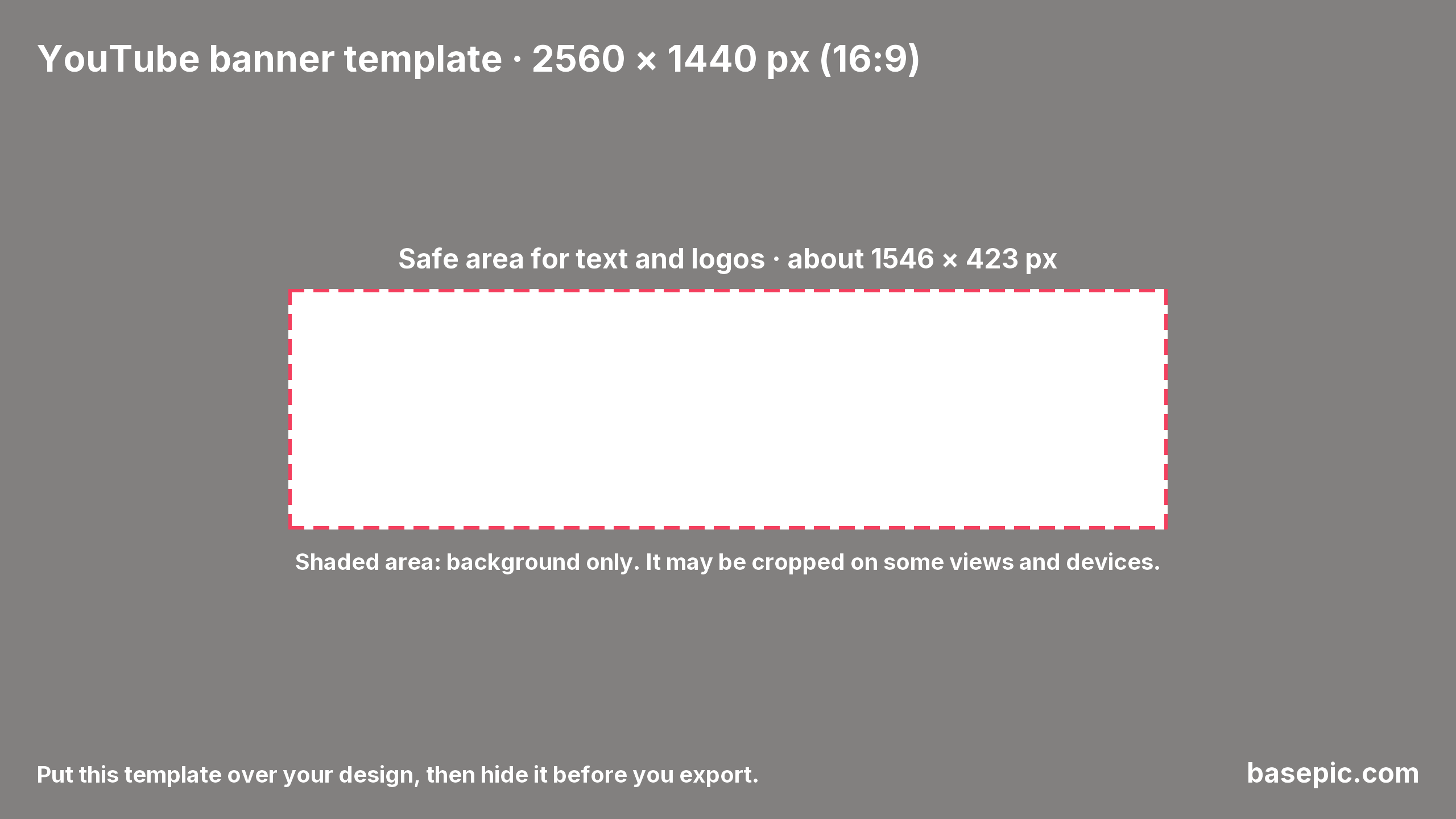
Free template: a 2560 × 1440 PNG with the safe area as a clear box and the rest shaded. Put it over your design to check that your text and logo sit inside, then hide it before you export.
How it works
- Upload your photo
Tap Upload photo. Resize opens with YouTube channel banner already picked.
- Check the safe area
BasePic crops the photo to 16:9 and marks the 1546 × 423 safe area in the middle. Drag the box until your text and logo sit inside it.
- Save and download
Tap Resize now, then Download. In YouTube Studio, open Customization → Profile, click Change for the banner, pick the file, then click Done and Publish.
Why 2560 × 1440
YouTube asks for a 16:9 image of at least 2048 × 1152 pixels and recommends 2560 × 1440, especially for TV. The image should fill large screens, and YouTube crops it on some views and devices.
One banner for all devices
There is no separate YouTube banner for mobile or desktop: YouTube uses the same banner image on computers, phones and TVs and shows it differently on each. Make one 2560 × 1440 banner and keep your channel name, logo and any text inside the safe area, the part YouTube sets aside for text and logos.
The safe area
At YouTube’s minimum size of 2048 × 1152, the safe area for text and logos is 1235 × 338 pixels. On a 2560 × 1440 banner that is about 1546 × 423 pixels in the middle — the box BasePic draws when you crop. Use the rest as background.
Free YouTube banner template
Download the free 2560 × 1440 template (PNG) from the size table on this page. The safe area for text and logos (about 1546 × 423) is a clear box in the middle, and the rest is shaded, because it may be cropped on some views and devices. Put the template over your design in an editor with layers, move your text and logo into the clear box, then hide the template before you export.
File size
YouTube takes banners up to 6 MB. If yours is bigger, open Resize on the saved banner and pick File size.
YouTube banner size: questions
What size is a YouTube banner?
2560 × 1440 pixels (16:9), the size YouTube recommends, especially for TV. The smallest banner YouTube accepts is 2048 × 1152, and the file can be up to 6 MB.
What is the YouTube banner size for mobile?
The same as for computers and TVs. You upload one banner and YouTube shows it differently on each device, so make it 2560 × 1440 and keep text and logos inside the safe area.
What is the YouTube banner safe area?
The part of the banner for text and logos: 1235 × 338 pixels on a 2048 × 1152 banner, or about 1546 × 423 on a 2560 × 1440 banner. Put your channel name and logo there.
Is there a free YouTube banner template?
Yes. Download the 2560 × 1440 PNG template on this page: the safe area for text and logos (about 1546 × 423) is a clear box, and the rest is shaded. Put it over your design, keep your text and logo in the clear box, then hide the template before you export.
My image is 1024 × 576. Can I use it as a YouTube banner?
Not as it is: YouTube’s minimum for upload is 2048 × 1152. Upload it on this page and BasePic enlarges it to 2560 × 1440 and shows that it was enlarged 2.5×. A bigger original gives a sharper banner.
What size is a YouTube profile picture?
YouTube shows it at 98 × 98 pixels and takes a JPG, GIF, BMP or PNG of up to 15 MB (no animated GIFs). BasePic makes it a square 800 × 800.
What size is a YouTube thumbnail?
YouTube recommends 3840 × 2160 (16:9) and at least 640 pixels wide; BasePic makes 1280 × 720 or 3840 × 2160 — see the YouTube thumbnail size page.